

“The future of coding is not fewer developers. It’s developers with superpowers.” -
Andrew Ng, Founder of DeepLearning.AI
What is an AI Coding Assistant?
An AI coding assistant helps developers write and fix code faster. It works inside a coding editor and gives suggestions as developers type.
A real AI coding assistant tool does more than just autocomplete.
It can…
- Suggest code in real time
- Explain existing code
- Help fix bugs
- Refactor messy logic
- Follow your project style
- Learn from your repo over time
Most live inside IDEs like VS Code. They feel like an intelligent pair programmer who matches your vibe and is always ready to help.
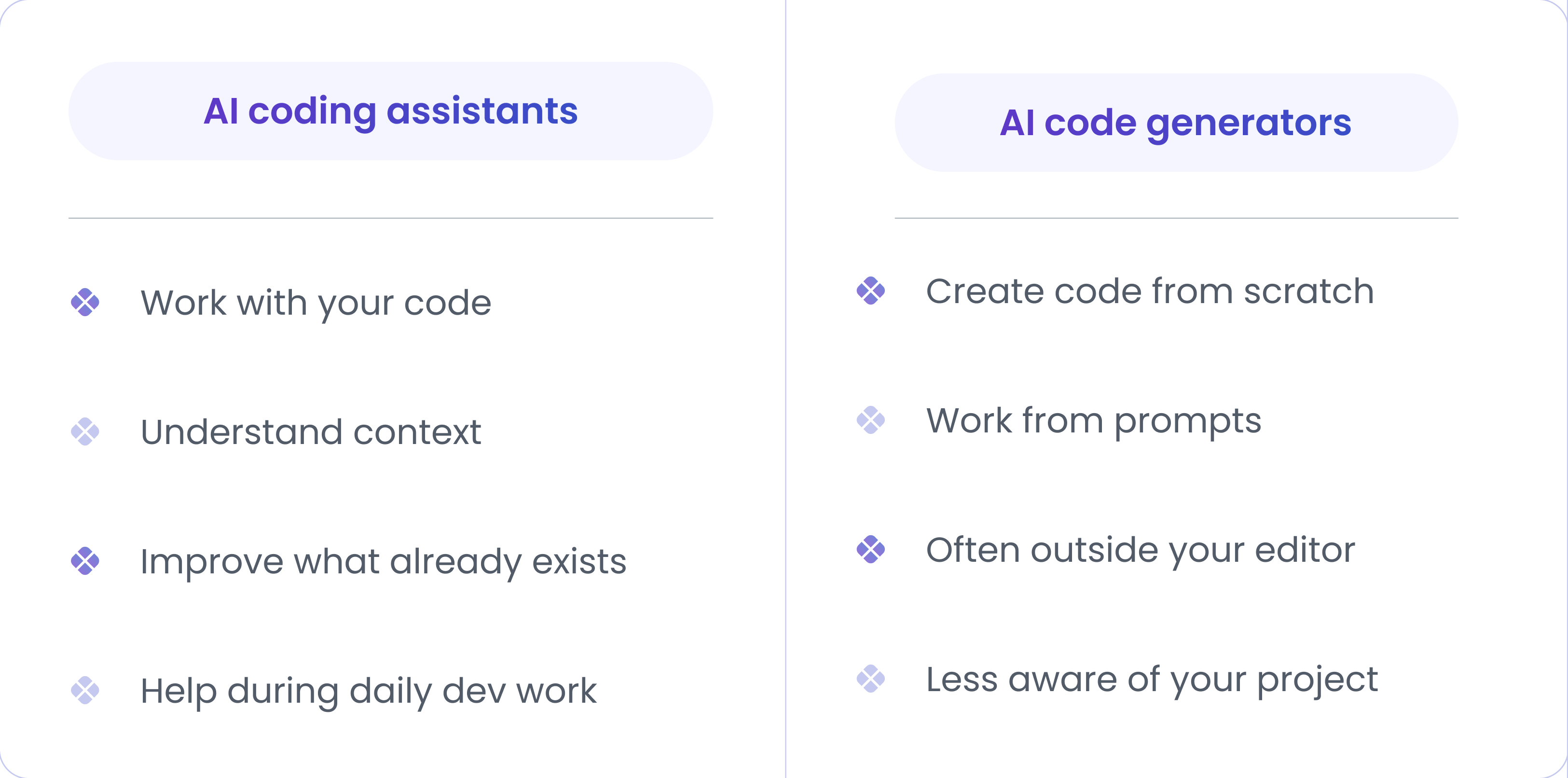
However, there are notable differences between AI coding assistants and AI code generators. And this is important.
Any size of engineering team can start using it, but AI coding assistants work best when…
- You have an active codebase
- Developers ship often
- Code reviews take time
- Junior devs need guidance
- Senior devs want speed
AI-powered code editors shine in real-world projects, not demos, not toy apps.
However, at the same time, one should comprehend that AI-powered code editors aren’t magic. You should avoid or limit its use when…
- Code is highly sensitive
- Security rules are strict
- Teams rely blindly on suggestions
- No code review process exists
How to Evaluate the Best AI Coding Assistant Tools?
There are plenty of AI coding tools out there. Most look good in demos. Only a few work well for real engineering teams.
So, we tested them the way developers actually work. Inside real codebases. Under real business sensitivity. Here’s what we cared about.
Code quality and correctness
Good suggestions help. But what helps more is better suggestions that even human developers can miss out on.
We checked:
- Does it follow best practices?
- Does it avoid obvious bugs and cover edge cases?
- Does it reduce rework?
Context awareness
This is where most tools fail. To provide better suggestions, AI coding software must have PR, repo, or workflow-level contextual understanding. Otherwise, it would end up giving generic suggestions that would not fit in your case.
We looked at:
- Can it read the whole repo?
- Does it understand existing patterns?
- Can it help during PR reviews?
- Does it stay useful across files?
Language and framework support
Different engineering teams use different stacks. A good AI coding assistant adapts. It does not force you to adapt.
We evaluated:
- Popular languages like JS, Python, Java, Go
- Backend and frontend frameworks
- Infra and config files
- Test code and scripts
IDE and workflow integration
Developers hate context switching. There is no use of even the most sophisticated AI tools if developers still need to switch between two different tools to complete a single task.
So we checked:
- VS Code support
- JetBrains support
- Inline suggestions
- Chat inside the editor
Security and enterprise readiness
Though this does not matter much to developers, this is a very crucial factor for leadership and organizations to consider before investing in AI coding software.
We reviewed:
- Data handling and retention
- Repo privacy controls
- On-prem or private options
- Admin and access settings
Pricing and accessibility
This is another very crucial criterion for leadership and organizations. Because expensive tools must earn it!
We compared:
- Free vs paid tiers
- Per-user vs usage pricing
- Team and enterprise plans
- Cost vs real value
7 Best AI Coding Assistant Tools
After applying the evaluation criteria shared above, these are the 8 best AI coding assistant tools we picked out of the shortlisted 27 AI-powered code editors.
1) GitHub Copilot
Best for - General development teams, deep IDE integration, full-time devs.
Key Features: Inline completions, chat, PR-aware suggestions, multi-model routing (smart mode).
Supported Languages & IDEs: Most major languages; VS Code, JetBrains, Visual Studio, Xcode, GitHub web.
Pricing Model: Tiered subscriptions: free trial available; Individual $10/mo or $100/yr; Business $19/user/mo; Pro+ ~ $39/user/mo; student/open source free options.
Why developers love it:
- Feels native inside editors
- Provides real-time, context-aware suggestions, including whole-line or entire function completions
- Good at context-aware completion across files
- Strong ecosystem and extensions
Limitations to be aware of
- Paid tiers for the best features
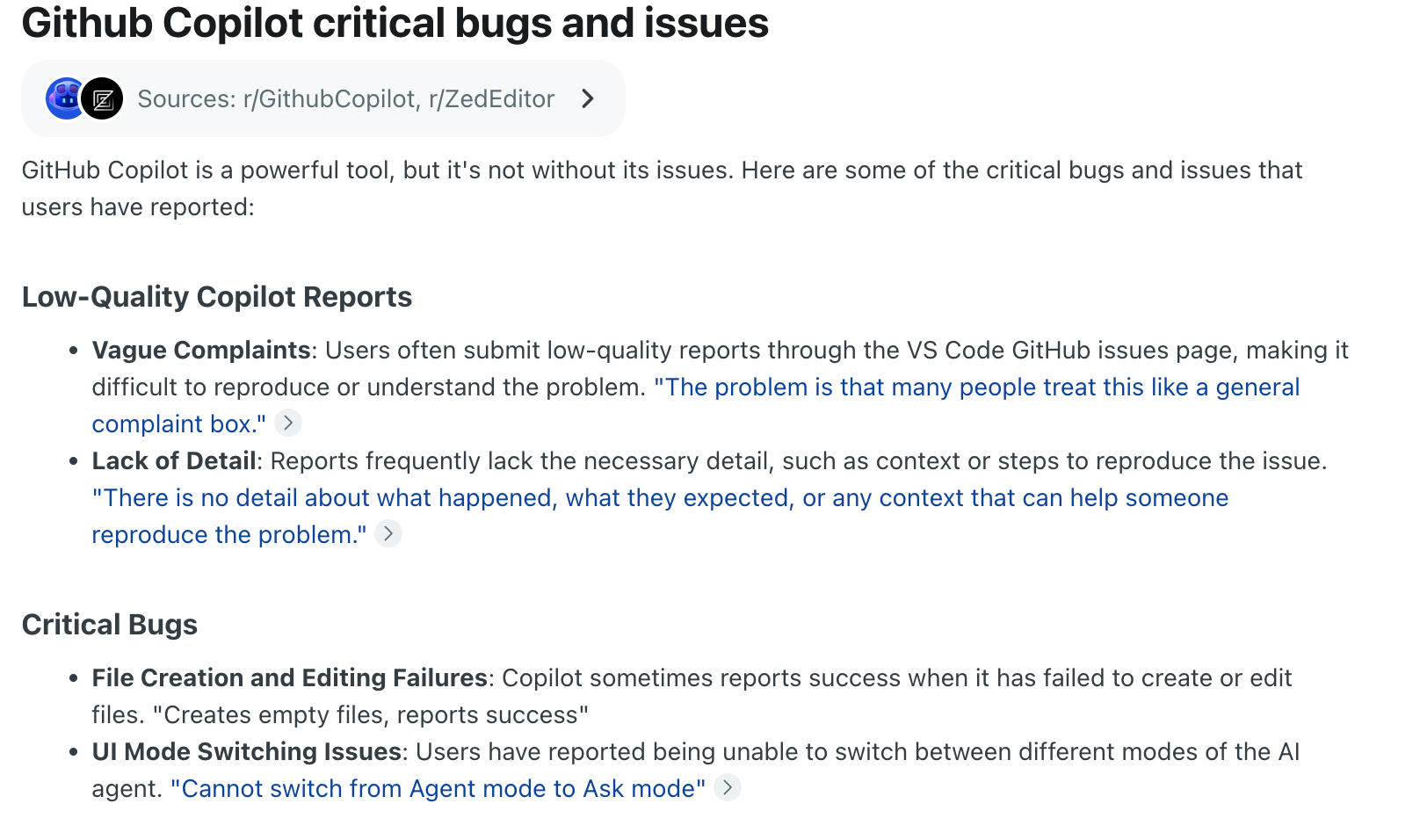
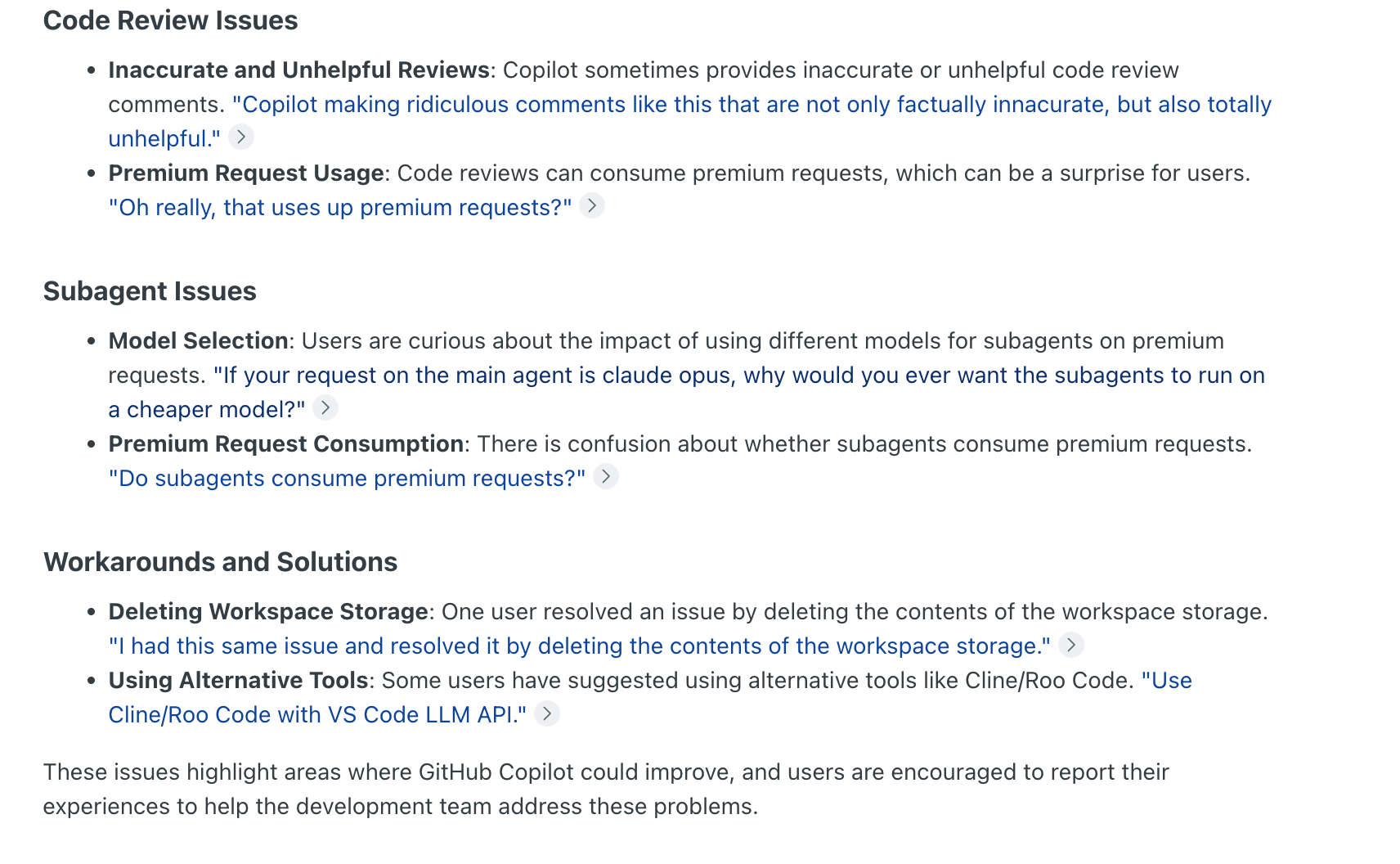
- Can sometimes suggest imperfect or out-of-date patterns; review is needed
- Copilot sometimes creates empty files or fails to make the requested changes
- Where code previews are incomplete, code repeats, and changes cannot be applied.
- Several Redditors feel that Copilot's models have become less effective.
Summary: Mass adoption with a few solvable technical glitches. Deep editor hooks and continuous updates make it the first choice for many engineering teams.
2) Amazon CodeWhisperer
Best for: Teams on AWS or cloud-native stacks.
Key Features: Real-time code recommendations, security scanning guidance, and IDE plugins.
Supported Languages & IDEs: Java, Python, JS, and others; VS Code, JetBrains, AWS Cloud IDEs.
Pricing Model: Free tier available for developers with AWS Builder ID; Teams/enterprise use included via AWS tooling
Why developers love it:
- Tight AWS integration
- Provides specialized, optimized code suggestions for AWS APIs
- Built-in security advice for common mistakes
Limitations to be aware of:
- Best value only if you use AWS heavily
- Fewer advanced agentic features vs some newer tools
Summary: Great voice for teams committed to AWS who want secure, cloud-aware suggestions.
3) Sourcegraph Cody
Best for: Large codebases, repo search, cross-repo changes
Key Features: Full-repo search, code-aware chat, suggests code changes by analyzing cursor movements and typing
Supported Languages & IDEs: Wide language support; VS Code, JetBrains, CLI
Pricing Model: Offers 3 plans. Free Tier, Enterprise Starter ($19 per month per seat), and Enterprise ($59 per user per month).
Why developers love it:
- Excellent at understanding big code graphs
- Useful for large refactors and code health tasks
- Offers strict data privacy, zero retention, and no training on user code
Limitations to be aware of:
- Maybe overkill for tiny projects
- Struggle with multi-step algorithms, nuanced concurrency, stateful orchestration, and code requiring deep business logic
- Complex requests can sometimes lead to latency
Summary: Good choice for large teams that need repo-scale intelligence and safe, large edits.
3) Tabnine
Best for: Teams needing private, on-prem models and fast completions
Key Features: Local model options, fast inline completions, team policy controls
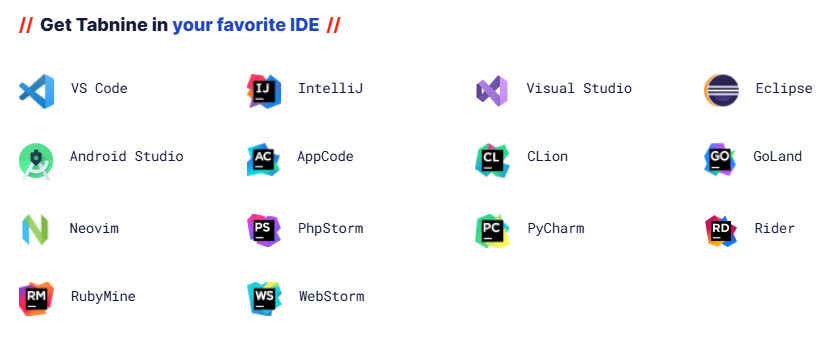
Supported Languages & IDEs: All major languages; VS Code, JetBrains, others
Pricing Model: $59 per user per month (annual subscription)
Why developers love it:
- Strong privacy/on-prem options for enterprises
- Lightweight and fast completions
- Never train their data on user code
Limitations to be aware of:
- Less adept at generating complex, multi-file architectural logic
- Total context window for chat is still limited, affecting understanding in very large files
- Suggestions for certain JavaScript frameworks (e.g., Vue.js) can be off-context or require human review
Summary: Not perfect, but a good balance of speed, privacy, and team controls.
4) Replit Ghostwriter
Best for: Learners, prototypes, browser-based development
Key Features: Inline help, explain/fix, test generation, agentic project tasks (Replit Agents)
Supported Languages & IDEs: Multi-language inside the Replit web IDE (cloud-first)
Pricing Model: Offers free option + Core for $20 per month (billed annually) + Teams for $35 per user, per month (billed annually)
Why developers love it:
- Zero-setup cloud IDE with built-in AI
- Great for fast demos and learning
Limitations to be aware of:
- Struggles to understand large, multi-file projects due to limited memory
- Shallow reasoning on complex tasks
- More useful features are gated behind higher-tier paid plans
Summary: Best when you want instant dev environments with built-in AI help.
5) Windsurf (formerly Codeium)
Best for: Developers who want an AI-first coding experience without enterprise pricing
Key Features: Deep codebase understanding, multi-file editing, autonomous command execution, and proactive "Supercomplete" code suggestions
Supported Languages & IDEs: 70+ languages; Windsurf Editor (primary experience), VS Code, JetBrains (via their Cascade plugin)
Pricing Model: Free forever for individuals + PRO for $15 per month + Teams for $30 per user/month
Why developers love it:
- Windsurf understands the entire repository, including relationships between files and dependencies
- Facilitates rapid prototyping and refactoring
- Built on a VS Code base, it provides a clean and user-friendly interface
- Features like Windsurf Tab and real-time interaction (e.g., in-terminal commands) enable smooth real-time collaboration
Limitations to be aware of:
- Occasionally generating spaghetti code
- It struggles with complex business logic
- Smaller ecosystem/community
Summary: No longer just a cheap Copilot. Best for teams who want power without enterprise lock-in. But not as good as giants.
6) Cursor
Best for: Developers who want an AI-first code editor and advanced agent features.
Key Features: Agentic workflows, plan mode, agent hooks, Bugbot for debugging, and CI integrations
Supported Languages & IDEs: Cursor editor + VS Code integrations; multi-language support
Pricing Model: Free tier + subscription: PRO for $20/month, PRO+ for $60/month, and Ulta for $200/month.
Why developers love it:
- Agent features for longer-running tasks
- Tooling to catch AI-introduced bugs (Bugbot)
- Deep context understanding, with its ability to index the entire codebase
- Ability to generate or edit code across multiple files simultaneously
- Users can select different AI models
Limitations to be aware of:
- The editor can be clunky, lag, or freeze in the case of large file handling
- With complex edge cases, it may create hallucinated code
- Code is sent to external servers, thus high privacy and security issues
7) JetBrains AI Assistant
Best for: Developers who live in JetBrains IDEs and need deep IDE features.
Key Features: Explain code, generate tests, refactor, and AI chat inside JetBrains IDEs.
Supported Languages & IDEs: Native to JetBrains family (IntelliJ, PyCharm, etc.); wide language support
Pricing Model: Paid add-on: Subscription credit model (e.g., AI Pro and AI Ultimate using credits ~$100–$300/yr per user
Why developers use it:
- Tightest possible integration for JetBrains users
- Workflow features (commit messages, multi-file edits)
- Developers can ask the AI to explain complex code snippets
- The assistant automatically generates documentation for code
Limitations to be aware of:
- Only for the JetBrains IDE ecosystem
- Some advanced models require paid tiers. Also, requires a separate, additional paid subscription on top of the IDE license
Best AI Coding Assistants by Use Case: How to Choose?
Out of all these AI-powered code editors we discussed, there is no ‘best’ tool for everyone.
The right AI-powered code editor depends on who you are and how you build.
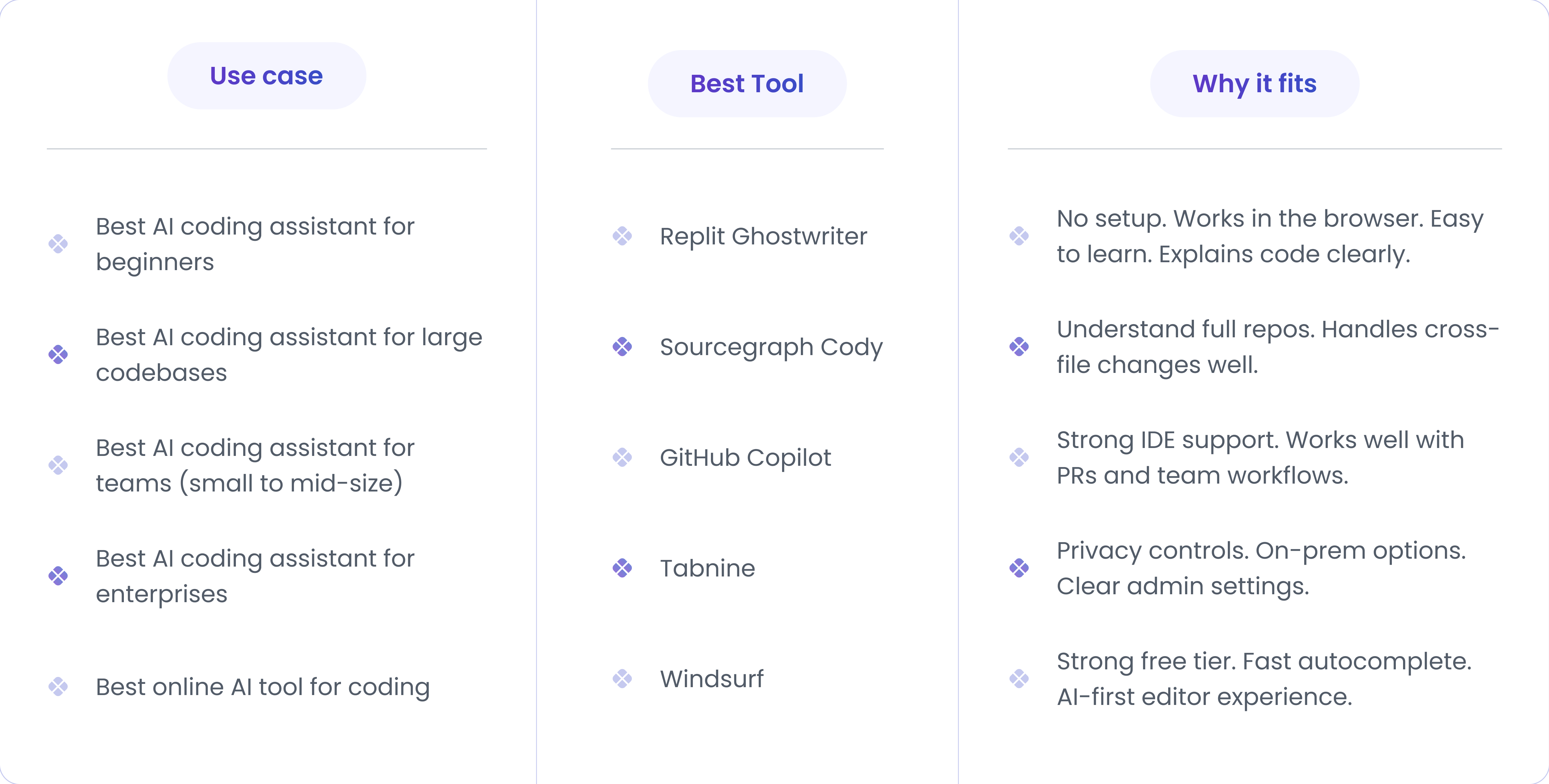
Use this table as a quick decision guide.
How to think about your choice?
Well, ask these simple questions…
- Do you code alone or with a team?
- Is your codebase small or huge?
- Do you need strict security rules?
- Do you want an editor or just an assistant?
- Do you care more about speed or control?
One honest tip:
Many engineering teams use more than one tool. That’s normal. One for speed. One for safety. One for learning. The key is fit, not hype.
AI Coding Assistants vs AI Code Generators
Both can write code. But they solve very different problems. Let’s understand the difference in detail with examples.
AI Coding Assistants:
These tools live inside your editor. They help you when you write code.
Example:
You’re working on the checkout service.
- You open paymentService.js.
- You add a new method.
- The AI coding assistant suggests error handling.
- It follows your existing patterns.
- It updates related tests.
It does not help you build a full feature by writing code. It just helps you to build faster by offering suggestions.
When AI code assistants work best
- Large codebases
- Ongoing feature work
- Bug fixes and refactors
- Team projects with reviews
When assistants fall short
- Building an entire app from zero
- There is no existing code to learn from
- The problem itself is unclear
AI Code Generators
These work with a prompt. You ask these tools to build something small or big, and it helps you by writing code and building the entire feature on your behalf.
Example:
You type a prompt: “Build a REST API for user login in Node.js.”
You get:
- Folder structure
- Controllers
- Routes
- Sample auth logic
This approach is great for learning and demoing. But this code needs cleanups before production in most business-sensitive cases.
When AI code generators work best:
- Prototypes
- Hackathons
- Learning new stacks
- One-off scripts
Where AI code generators fail:
- Production systems
- Existing codebases
- Long-term maintenance
- Team workflows
In essence, they give you a solid start but not a finished product.
How AI Coding Assistants Impact Engineering Productivity
It’s now widely evident that AI coding assistants are changing the very way of engineering. Its impact is visible across engineering metrics.
- One study found that AI coding assistants are helping developers to gain as much as 25% increase in their output, with 88% of developers agreeing to perceive productivity gains with AI tools for coding.
- Another report reveals that PR review cycle time dropped by about 31.8% after AI tools were integrated.
Big orgs see similar patterns too:
- Business Insider reported that Google’s internal AI tools improved engineering velocity by about 10%.
- Engineers at JPMorgan using AI tools for coding also experienced 20% efficiency gain.
But real gains depend on context:
- In a controlled experiment with senior developers, it was found that AI actually made them 19% slower when working in familiar codebases. The reason was that they spent time fixing and checking the AI output.
Similarly, AI coding software can increase review time because AI-generated suggestions often lead to larger pull requests, which eat up more review efforts.
Research shows the average pull request closure time shifted from ~5h 52m to ~8h 20m when AI suggestions were added. This happened because of these reasons…
- Some automated suggestions were irrelevant
- Developers had to deal with more comments
- Fixing AI-suggested changes took time
Key Takeaway:
AI can speed up parts of work - like boilerplate or familiar patterns - but it doesn’t always guarantee faster delivery on every task. And it also introduces new bottlenecks, like a code review bottleneck when new PRs are being generated at lightning speed using AI, but those PR reviews would take time and overwhelm the senior developers. One way to balance out this situation is to leverage an AI code review tool to handle the first review and save review time.
This reveals a very interesting finding - in software engineering, speed ≠ productivity.
- Many developers feel quicker with AI. But on complex tasks, they end up spending more time understanding and fixing AI output.
- AI can increase commits and lines of code. But that does not always mean clean code and fewer bugs.
- AI can’t fix workflow bottlenecks caused by unclear requirements, handoffs, and long approval cycles.
- Junior developers often get productivity boosts using AI. But senior developers reviewing the work of those junior developers get stuck under a lot of AI junk.
- AI can improve one DORA metric, like lead time to changes, but it degrades its underlying metric - change failure rate, as more releases now require hotfix and rollback.
So, the bottom line is that AI can speed up tasks. But Engineering Productivity comes from good decisions, clean reviews, code governance, and strong processes.
FAQs
1) Are AI coding assistants safe?
Yes. AI coding assistants don’t deploy code on their own. Human developers still stay in control. Safety depends on your code review culture, access controls, and how the team configures data sharing. Most elite engineering teams treat AI-suggested or AI-generated code as any other code - it needs to be reviewed, tested, and validated.
2) Which AI tool is best for coding?
There is no single best tool for everyone. The right choice depends on your engineering workflow, team size, codebase, and budget. Some tools work better for large enterprise teams, while some tools work better for fast individual work. You can select from our handpicked 8 best AI coding tools - GitHub Copilot, Amazon CodeWhisperer, Sourcegraph Cody, Tabnine, Replit Ghostwriter, Windsurf (formerly Codeium), Cursor, and JetBrains AI Assistant.
3) Is there a free AI coding assistant?
Yes. Several AI coding assistants, such as Windsurf, Replit Ghostwriter, and Cursor, offer free plans with limits. These are useful for individual developers, learning, and early experimentation.
4) Are online AI coding tools reliable?
Yes. However, they are reliable for quick, short tasks. They work well for prototypes, demos, and learning. For large codebases and long-term projects, IDE-based AI assistants are usually more reliable.