
Get the full picture on your AI adoption and impact.
We'll show you exactly how AI is impacting your speed and code quality.
NO CODE ACCESS
FREE AI ROI REPORT
NO CREDIT CARD
4.7/5



We'll show you exactly how AI is impacting your speed and code quality.
Coding Hotspots connects every Jira issue to the files that keep getting touched. See which repos and files are generating the most bug work, drillable to the specific issues and PRs behind every hotspot.
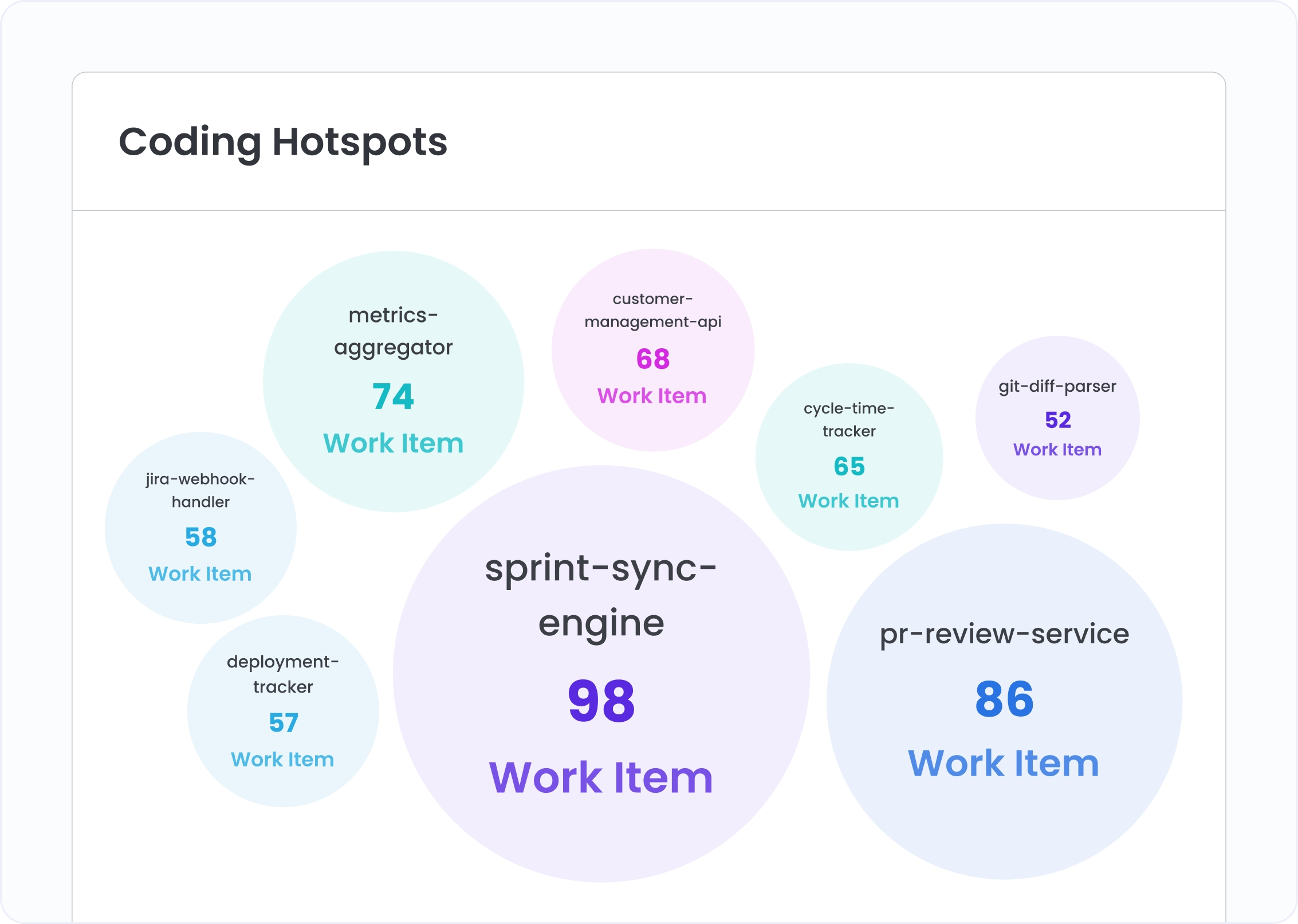
The bubble chart ranks every repo by resolved bug-related work items. Bubble size tells you where the concentration is before you've read a single file name. The repos generating the most bug work are the ones de-risking slowest.
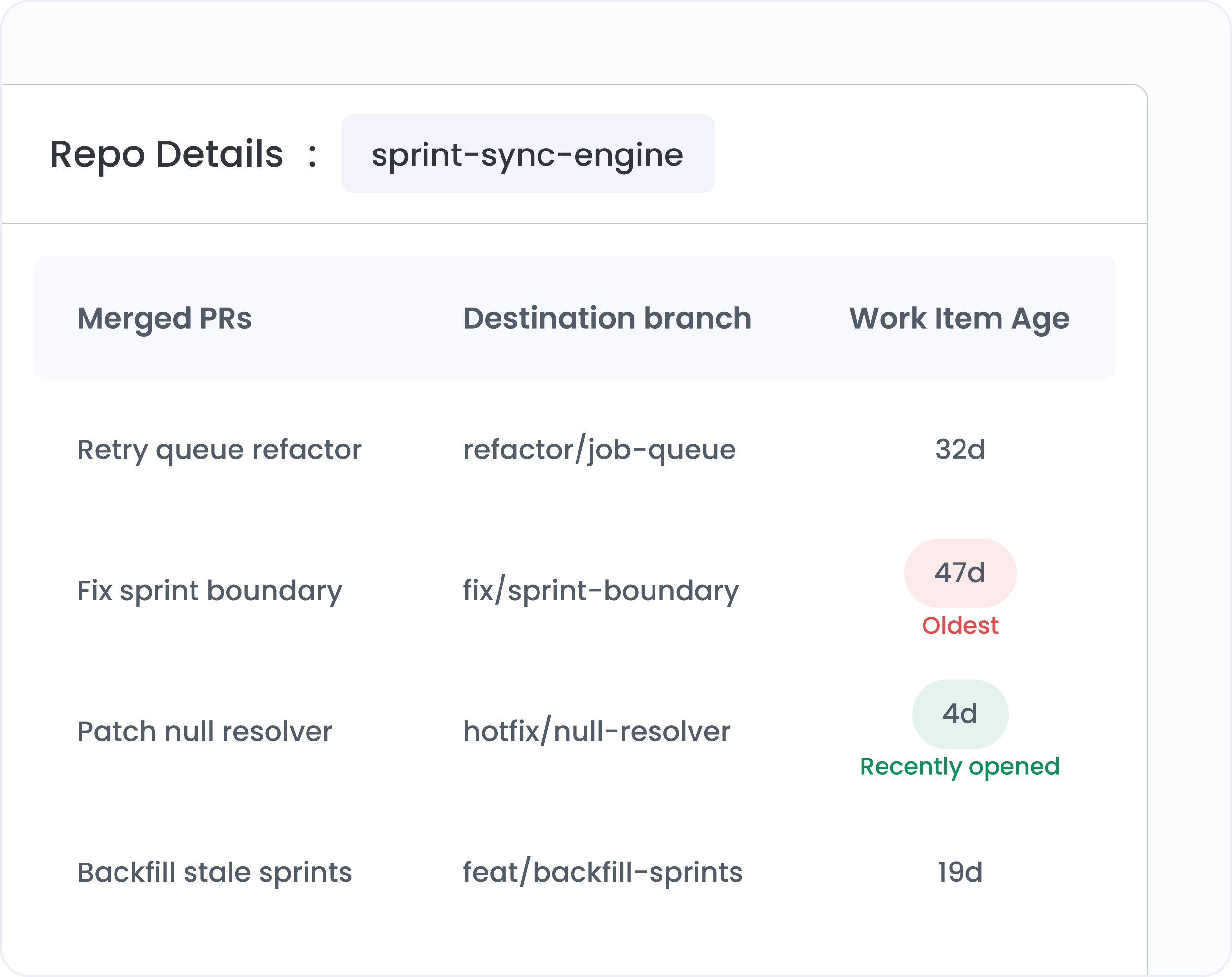
Click a repo bubble and the view transitions to file-level. The same chart, now showing which files inside that repo appear most in bug-related commits. Click any file to see commit count, resolved issues, PR count, latest contributor, latest reviewer.
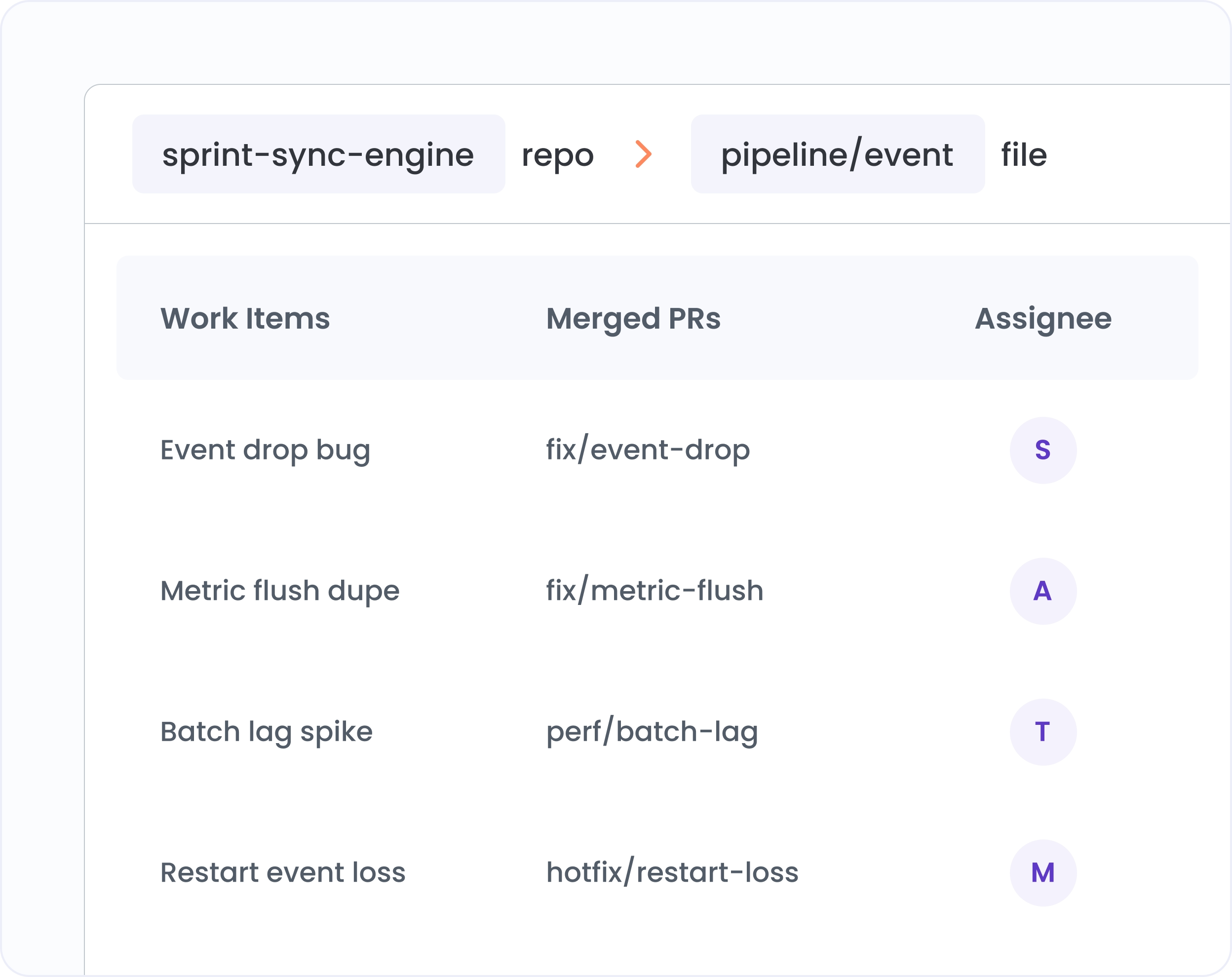
From the file popup, open the full issue table. Every resolved Jira ticket linked to that file, with assignee, work item age, and the PRs that closed it. The file's full bug history in one view.
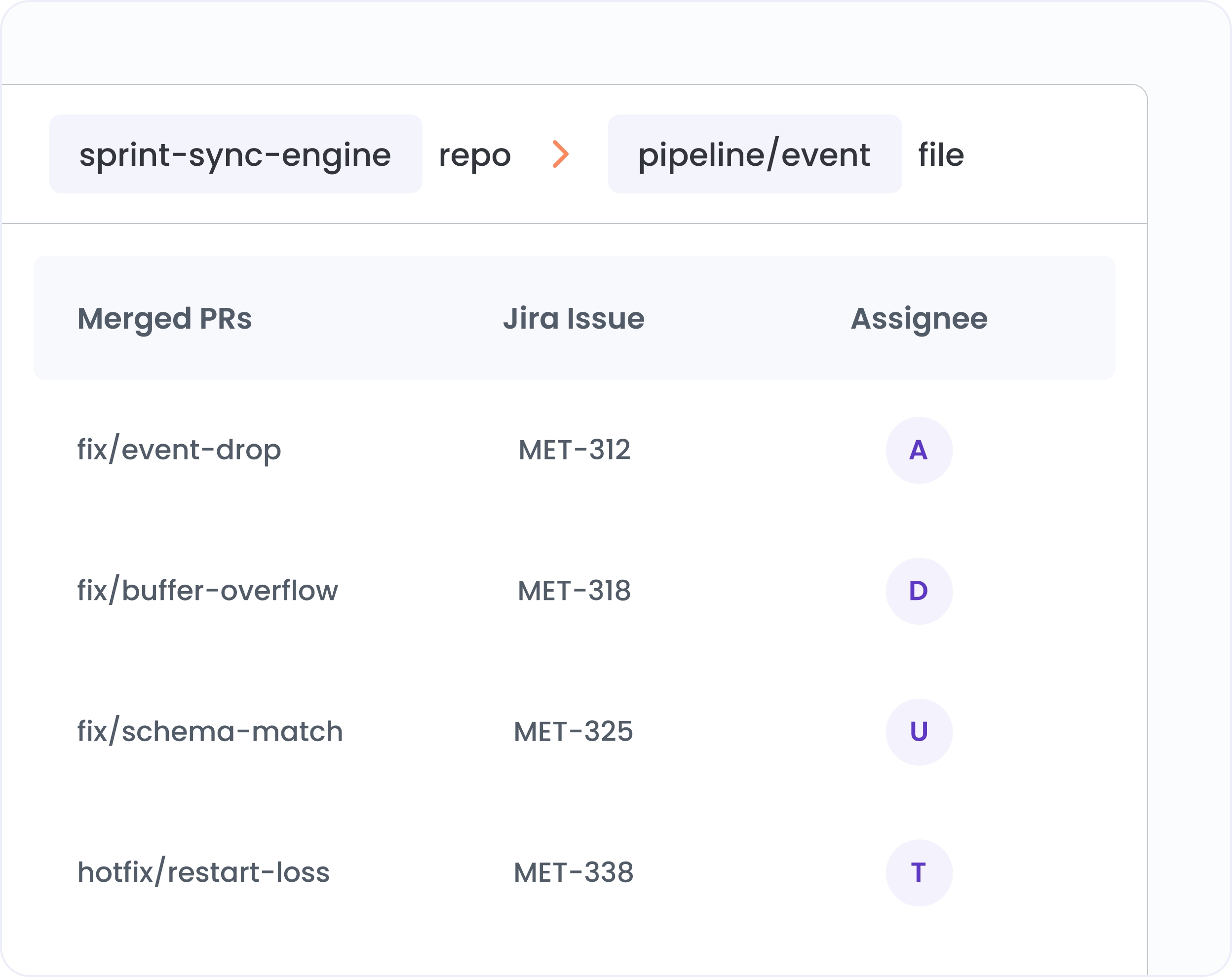
The same hotspot data as a sortable table. Repos ranked by files affected and work item count. Files ranked by commits, issues, and PRs. Search within any repo's file list. Ready for planning meetings.
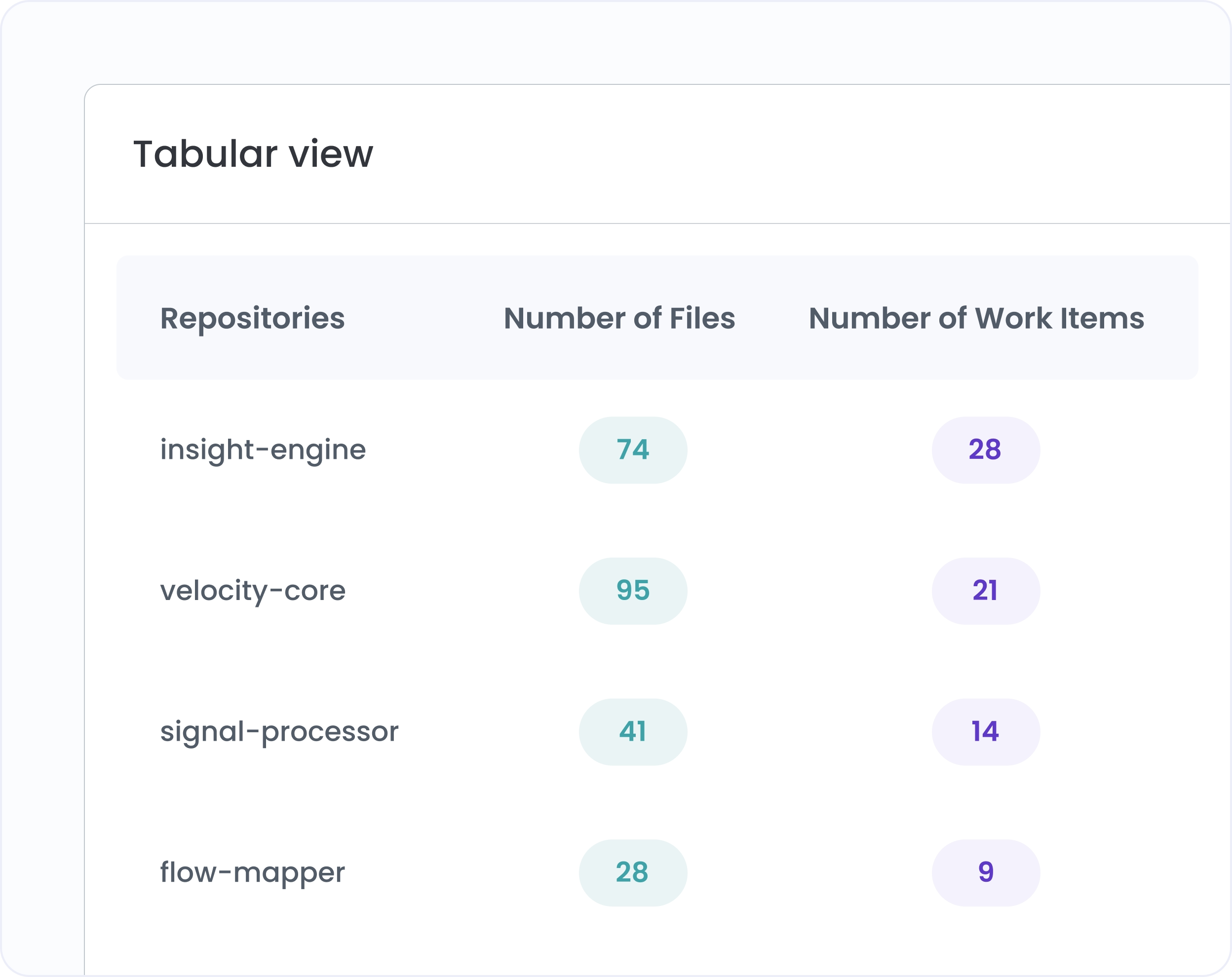
Hivel's AI connects your Jira issues to the repositories and files behind them automatically, across your full commit and PR history. No manual tagging.
Default view shows bug fixes. Switch the filter to surface hotspots for features, tech debt tickets, or any custom issue type your team tracks.
Every file bubble shows the latest contributor and latest reviewer. Know who has the most context on your hottest files and who to pull in.
Default view covers the last 30 days. Extend to any range to see whether previous cleanup sprints reduced a file's hotspot status.

Jira is the primary integration for issue-to-file mapping. The feature links resolved work items to the files touched in related commits and PRs. Check the integrations page or contact support to confirm which other project tools are supported.
A hotspot is any file that appears frequently in bug-related commits and resolved work items over the selected time period. The larger the bubble, the more bug-related activity that file has generated. The view is relative: highest concentration files compared to the rest of your codebase.
Yes. The issue type filter lets you switch from bugs to any work item category in your Jira configuration: features, technical debt tickets, or any custom issue type your team tracks.


.svg)
.png)




















See exactly how AI-assisted code is impacting your delivery speed and code quality, before you commit to anything.
Trusted by 1000+ teams