Get the full picture on your AI adoption and impact.

We'll show you exactly how AI is impacting your speed and code quality.
NO CODE ACCESS
FREE AI ROI REPORT
NO CREDIT CARD
4.7/5

Team Pulse - Dev360

Your standup shouldn't be the first time you hear what the team did yesterday.

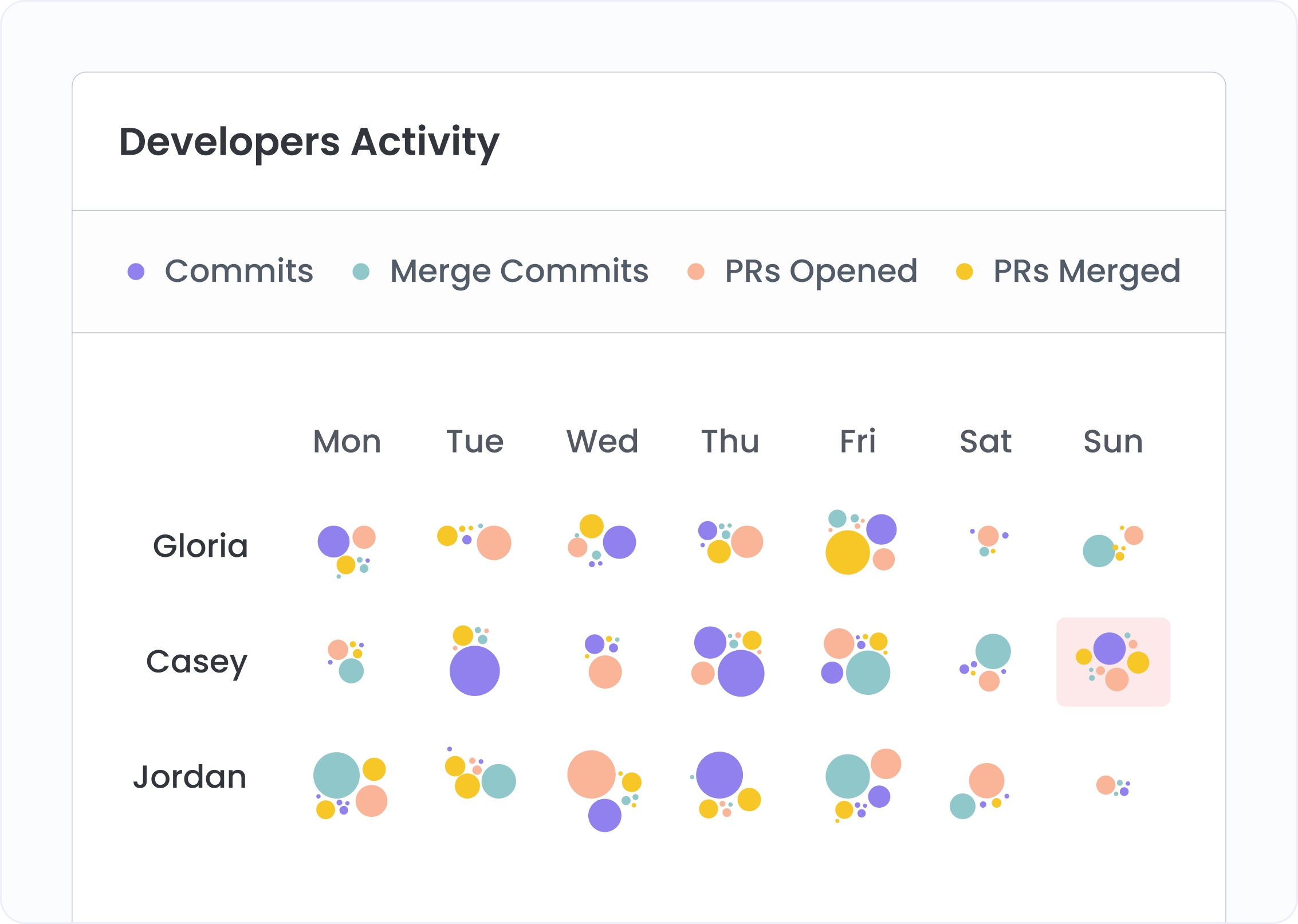
Know every developer's Git activity across your team — day by day, in one view. Spot workload imbalances, burnout signals, and quiet periods before the meeting. Click any developer's column and go deep on their individual activity before a 1:1.

From team-wide activity to individual detail — the view every EM needs before every meeting.

See what every developer on your team did — day by day

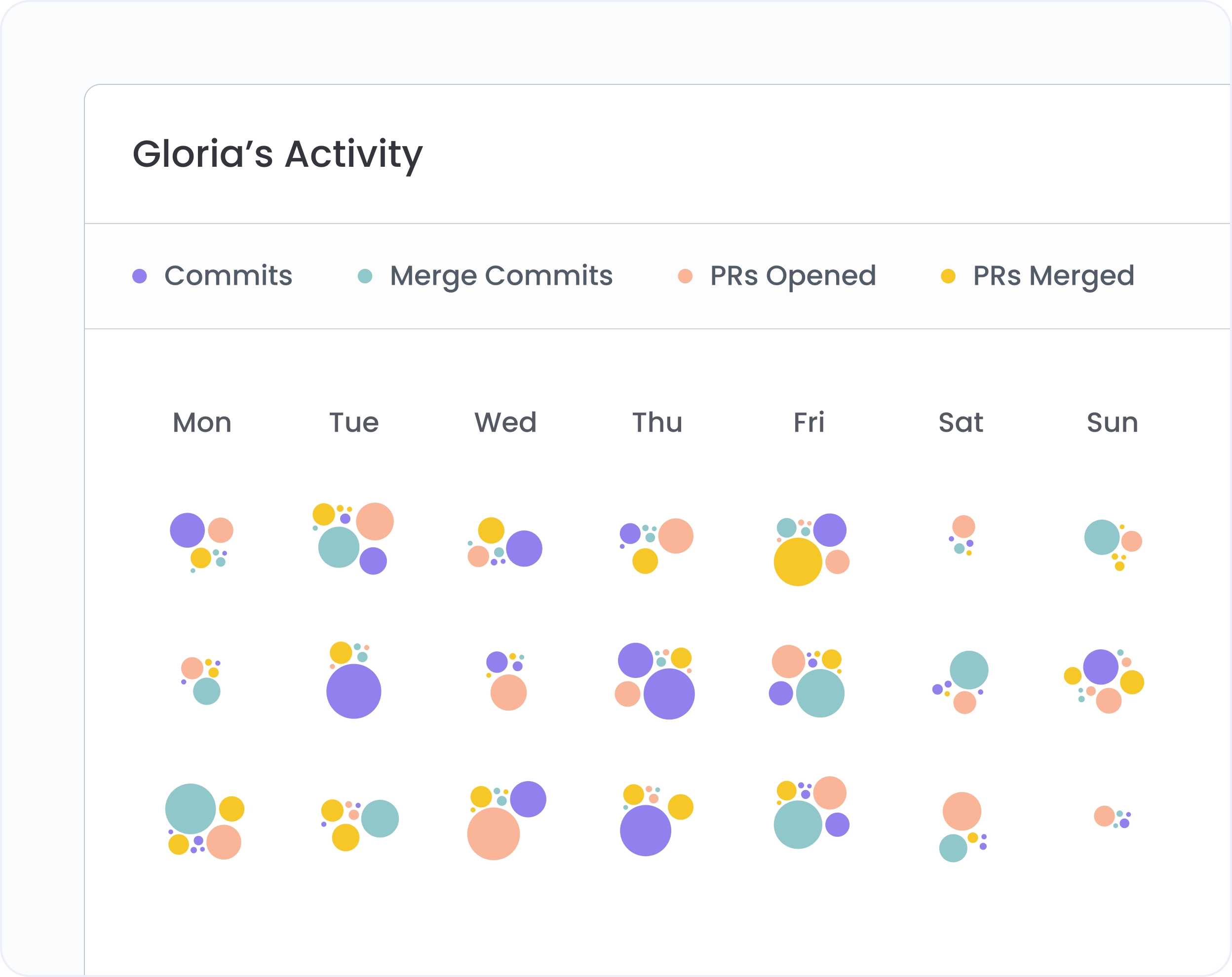
Team Pulse maps every developer's Git activity — commits, PRs opened, reviewed, merged, declined — as a visual calendar across your full team. Spots where a developer goes quiet, or carries disproportionate review load, are visible before the standup, not during it.
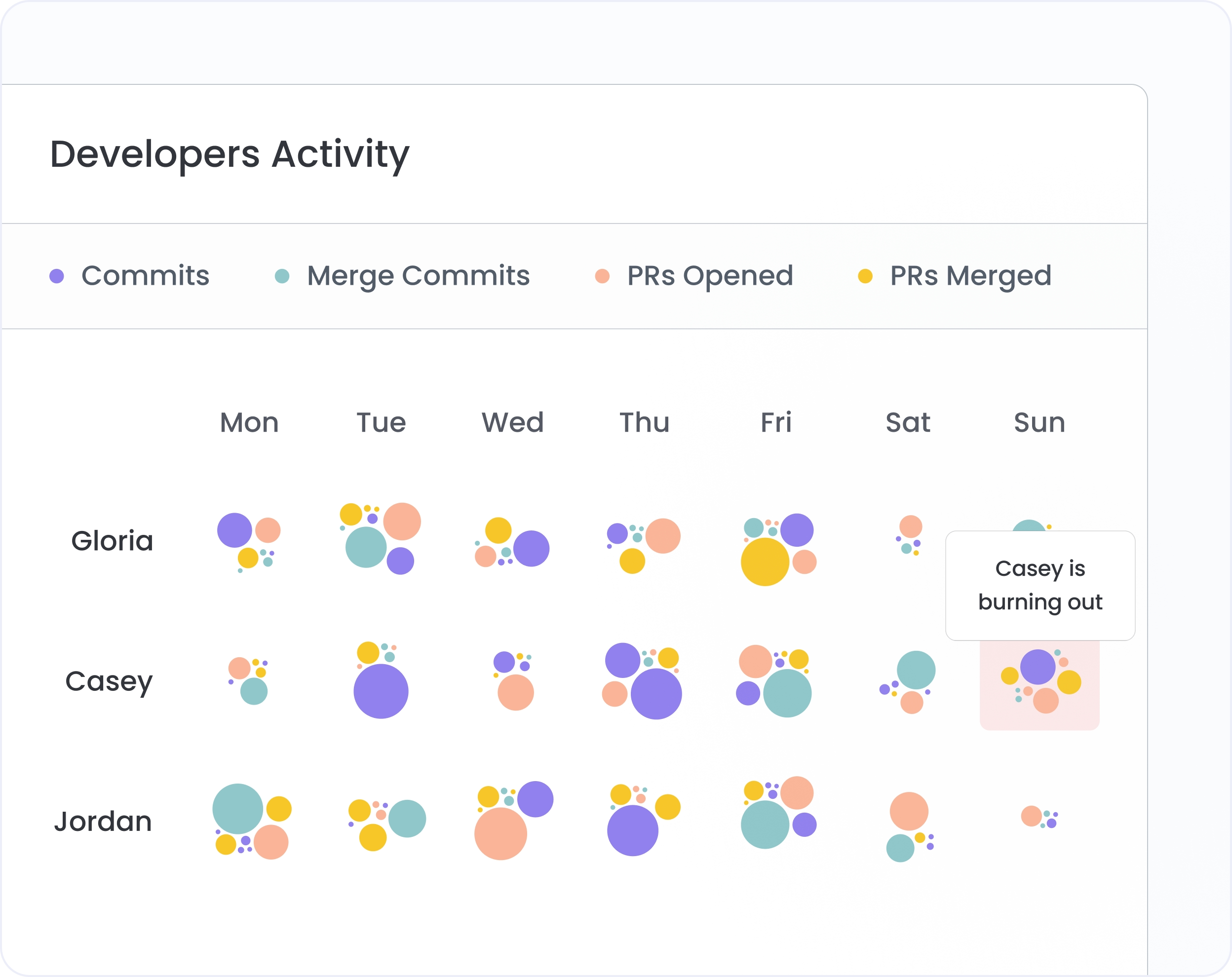
See who's carrying the review burden — and who's gone quiet

Filter to PR reviews alone and the imbalance becomes obvious — one developer approving everything while the rest have a fraction of the load. Click Inactive Engineers to immediately surface developers with zero activity in the period, before the pattern becomes a retention conversation.
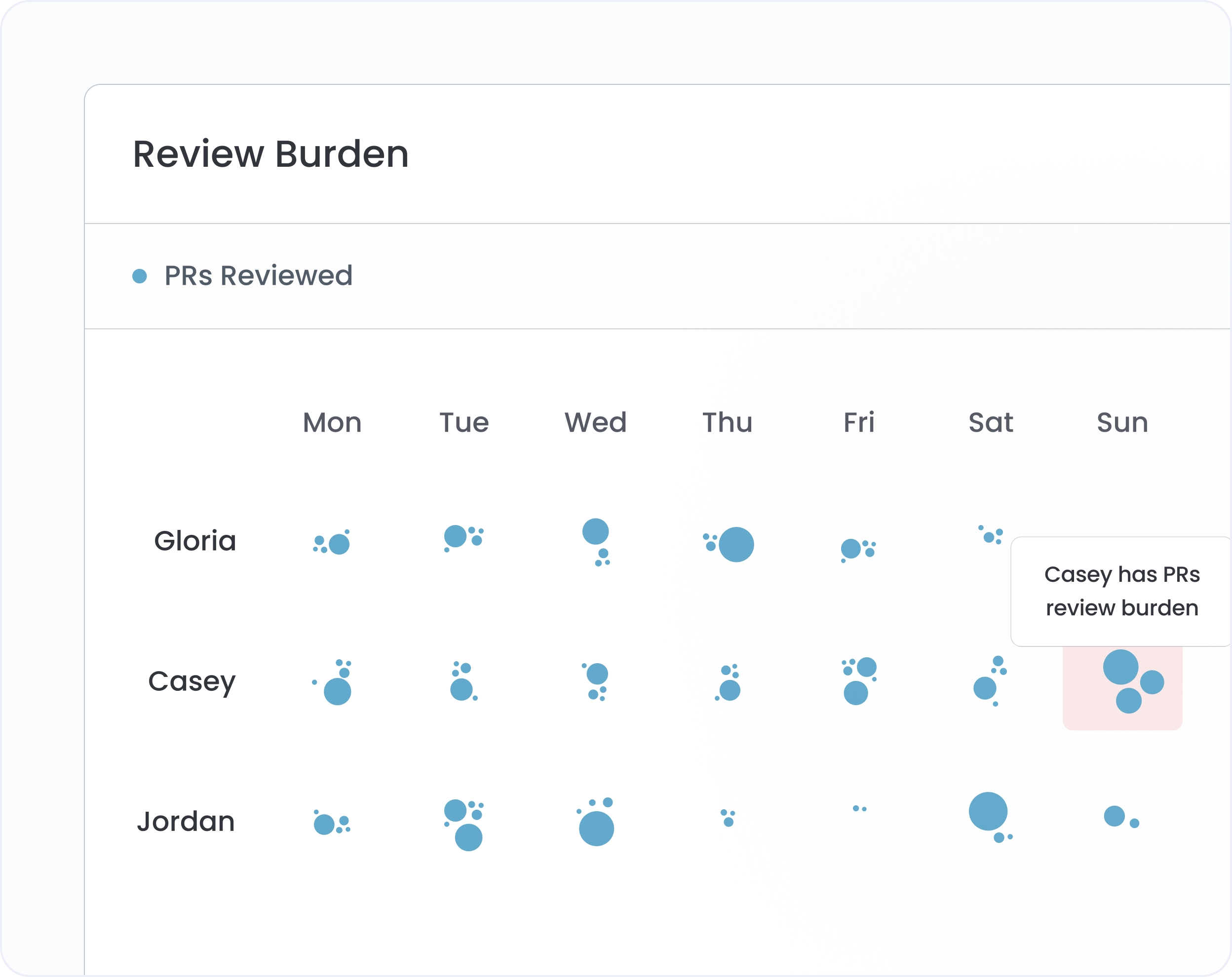
Click any bubble to see exactly what happened

Every bubble in the activity calendar is clickable. The right sidebar opens with the specific activity — which repo, which PR or commit, branch details, lines added and removed. The data behind the standup question, one click away.
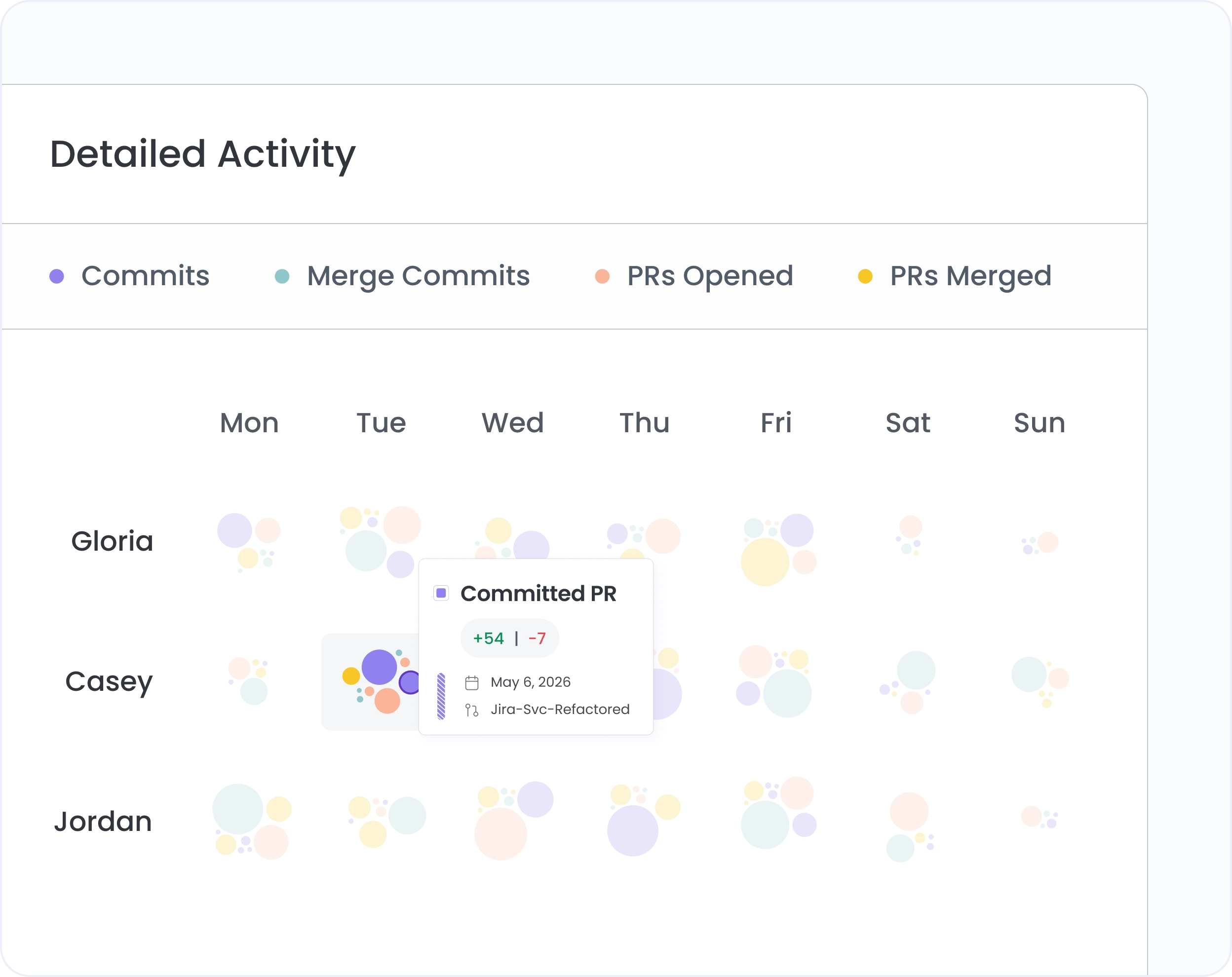
Click any developer to go from team view to their full activity calendar

From Team Pulse, click any developer's name to open Dev360 — a full individual activity calendar filterable by type, drillable to specific commits and PRs. Walk into every 1:1 knowing their last 30 days of activity, which PRs they reviewed, where they went quiet, and what they shipped.
Four tabs. Every angle on engineering effort.

Activity type filters

Filter the whole team view to any single activity type — commits, merge commits, PRs opened, reviewed, merged, or declined. Isolate review load across your team in one click.

Table view

Switch from the visual calendar to a sortable table showing each developer's counts for every activity type. Sort by any column to rank the team by commits, reviews, or merges for the selected period.

Mark absence

Exclude known absences — leave, off-sites, non-coding work — from the activity view so they don't read as disengagement signals. The calendar stays accurate without manual workarounds.

Dev360 from anywhere

Dev360 is accessible from the main navigation, from Team Pulse, or from Cockpit. Wherever you spot a developer you want to investigate, one click takes you to their full individual calendar.

Hivel × Freshworks Case Study Card
Freshworks NASDAQ: FRSH

How Freshworks measured AI impact across 1,500 engineers — in real time

No standard way to measure AI adoption across 1,500 engineers
Couldn't tell which AI tools were helping vs just running
Surveys were the only answer — slow, expensive, inaccurate
40% Increase in engineering throughput
50% Reduction in rework and maintenance
25% More features released in key business units
10% Improvement in time-to-market

Frequently asked questions

How many developers can I see in Team Pulse at once?

Team Pulse supports up to 150 developers in a single view. For larger teams, filter to a specific sub-team to keep the view actionable. Each row represents one developer with activity bubbles across the selected date range.

What activity types are tracked?

Six types: Commits, Merge Commits, PRs Opened, PRs Reviewed, PRs Merged, and PRs Declined. Each has its own color in the calendar view. Filter to any single type or view all at once.

What does an inactive developer in Team Pulse mean?

An inactive developer is one with zero Git activity in the selected period — no commits, no PRs of any type. This could mean they're on leave, working on non-coding tasks, or disengaged. The mark absence feature lets you note planned absences so they're interpreted correctly.


Trusted by 1000+ Engineering Teams

Vaibhav Bansal
V.P. Engineering
"Hivel has been phenomenal in helping us present our progress to leadership. Its insights into leading indicators have empowered our team leads to enhance review efficiency and ship features faster. Now, we are able to show the impact of our process changes, clearly identify areas of opportunity, and bring in a data-driven culture without spending time pulling manual reports."
Murali Swaminathan
Chief Technology Officer
"We were looking for a unique solution to understand engineering productivity and efficiency, with a single tool that could give leaders complete visibility. We evaluated other comparable tools, but none were comprehensive enough. When we came across Hivel, it checked all the boxes for measuring developer productivity across both AI and non-AI workflows."
Derek Mackie
Director of Engineering
"Using Hivel shone a light on the non-standard aspects of our work, emphasizing the need for crucial adjustments. The insights from Hivel helped us recognize areas for improvement, particularly in managing cycle times and streamlining development workflows. This guidance has been instrumental in our efforts to enhance operational efficiency and productivity."
Leonardo Pinheiro Ferrari
Chief Technology Officer
"Thanks to Hivel, we've seen a staggering 157% improvement in our deployment frequency. By identifying and addressing inefficiencies, and adopting best practices, we've significantly accelerated our progress. Hivel has been instrumental in our journey to operational excellence."
Chris Callander
Senior Engineering Manager
"Hivel has been instrumental in identifying areas for enhancement and guiding our strategic improvements. It has significantly contributed to our journey toward greater operational efficiency. The Activity and Dev360 features in Hivel have been particularly valuable for providing feedback to engineers during 1-1's, enhancing our communication and development practices."
Shiro Theuri
Chief Technology Officer
"Before Hivel, understanding our engineering team's dynamics was a game of guesswork. Now, with Hivel's clear dashboards and insights, our leaders have the clarity and time-saving tools they need to excel. It's been transformative in streamlining our operations."
Koti Reddy
Chief Technology Officer
"Incorporating Hivel into our daily operations has been a game-changer. It's not just a tool; it's a part of our strategic decision-making process, trusted by our leaders at every level. The impact on our engineering efficiency is undeniable and deeply valued."
Manoj Awasthi
Chief Technology Officer
"It has been great to partner with Hivel to get access to insights that help leaders at all levels gain visibility into bottlenecks and challenges that the teams face, build actionable plan to resolve them and track the progress over time. And thanks for the fantastic support!"
Ameen M
Engineering Manager
"Hivel has made a huge difference to how I manage my teams. Before every one-on-one or appraisal, I rely on it to dive into developer metrics and drive truly meaningful conversations. It helps me spot rework patterns, reward high performers, and benchmark our teams even against our US counterparts. The dashboards are intuitive, insightful, and honestly far more actionable than anything we get from Jira."
Paras Sood
Associate Director
"Hivel's insights have been pivotal in refining our engineering processes, elevating both efficiency and the developer experience. We're now making smarter decisions, faster, thanks to Hivel."
Vaibhav Bansal
V.P. Engineering
"Hivel has been phenomenal in helping us present our progress to leadership. Its insights into leading indicators have empowered our team leads to enhance review efficiency and ship features faster. Now, we are able to show the impact of our process changes, clearly identify areas of opportunity, and bring in a data-driven culture without spending time pulling manual reports."
Murali Swaminathan
Chief Technology Officer
“We were looking for a unique solution to understand engineering productivity and efficiency, with a single tool that could give leaders complete visibility. We evaluated other comparable tools, but none were comprehensive enough. When we came across Hivel, it checked all the boxes for measuring developer productivity across both AI and non-AI workflows.”
Vaibhav Bansal
V.P. Engineering
"Hivel has been phenomenal in helping us present our progress to leadership. Its insights into leading indicators have empowered our team leads to enhance review efficiency and ship features faster. Now, we are able to show the impact of our process changes, clearly identify areas of opportunity, and bring in a data-driven culture without spending time pulling manual reports."
Derek Mackie
Director of Engineering
"Using Hivel shone a light on the non-standard aspects of our work, emphasizing the need for crucial adjustments. The insights from Hivel helped us recognize areas for improvement, particularly in managing cycle times and streamlining development workflows. This guidance has been instrumental in our efforts to enhance operational efficiency and productivity."
Leonardo Pinheiro Ferrari
Chief Technology Officer
"Thanks to Hivel, we've seen a staggering 157% improvement in our deployment frequency. By identifying and addressing inefficiencies, and adopting best practices, we've significantly accelerated our progress. Hivel has been instrumental in our journey to operational excellence."

"The only tool our entire leadership team actually trusts"