Book a demo
We'll show you exactly how AI is impacting your speed and code quality.
4.7/5


We'll show you exactly how AI is impacting your speed and code quality.
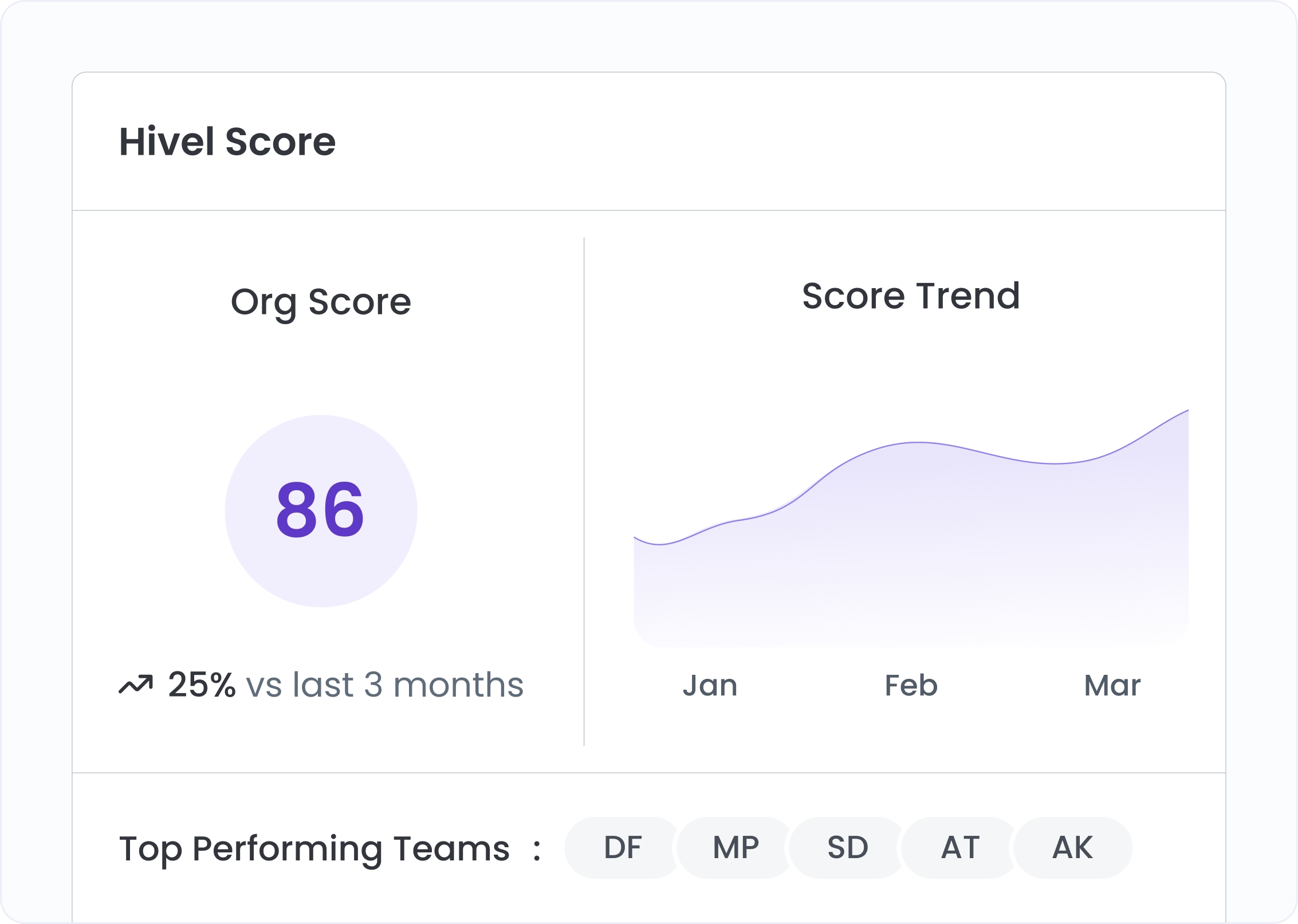
The Hivel Score shows the current score out of 100 alongside its change percentage versus the 6-month rolling average. When the number rises and the change is positive, something real has improved. When it drops, the breakdown tells you which bucket moved.
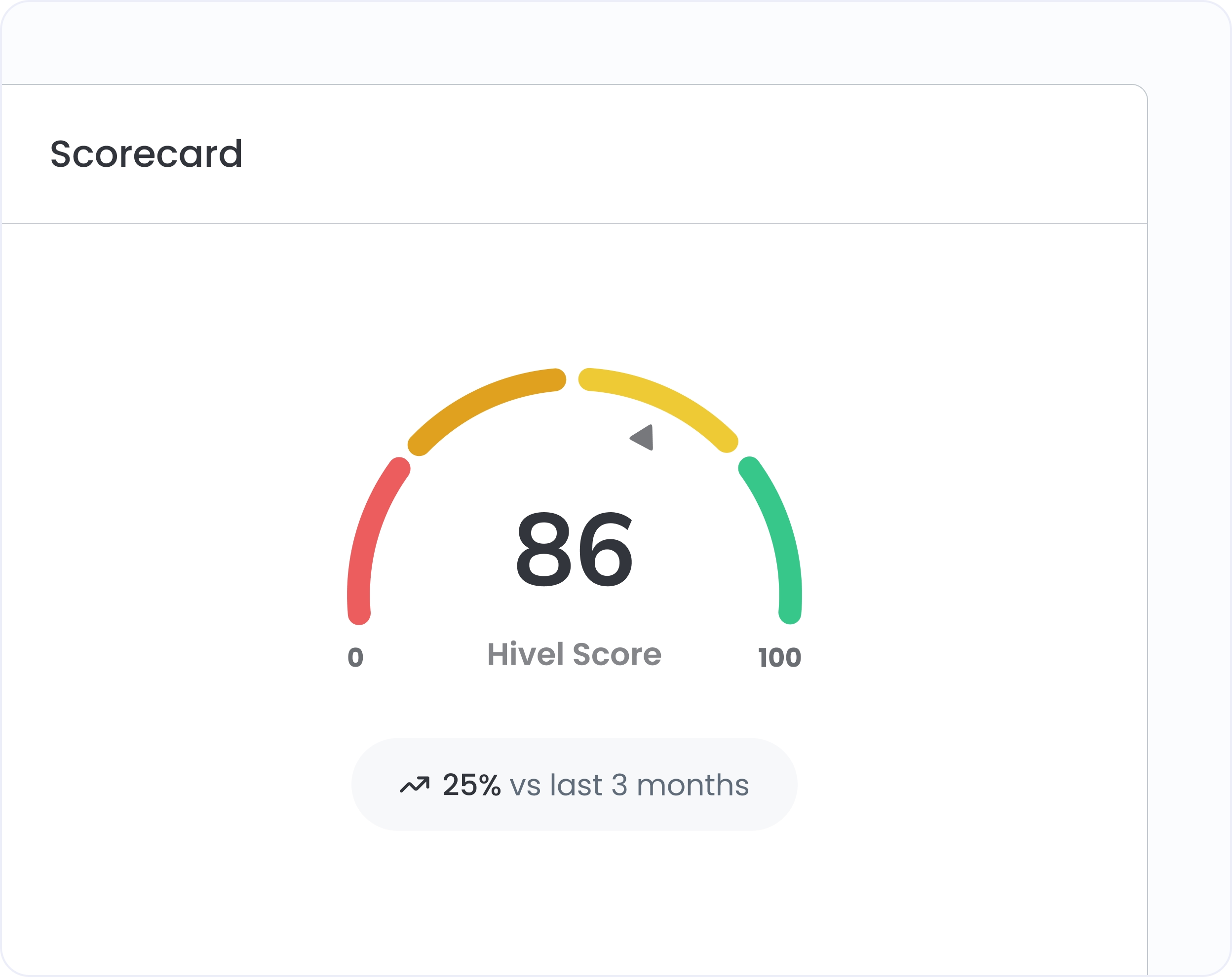
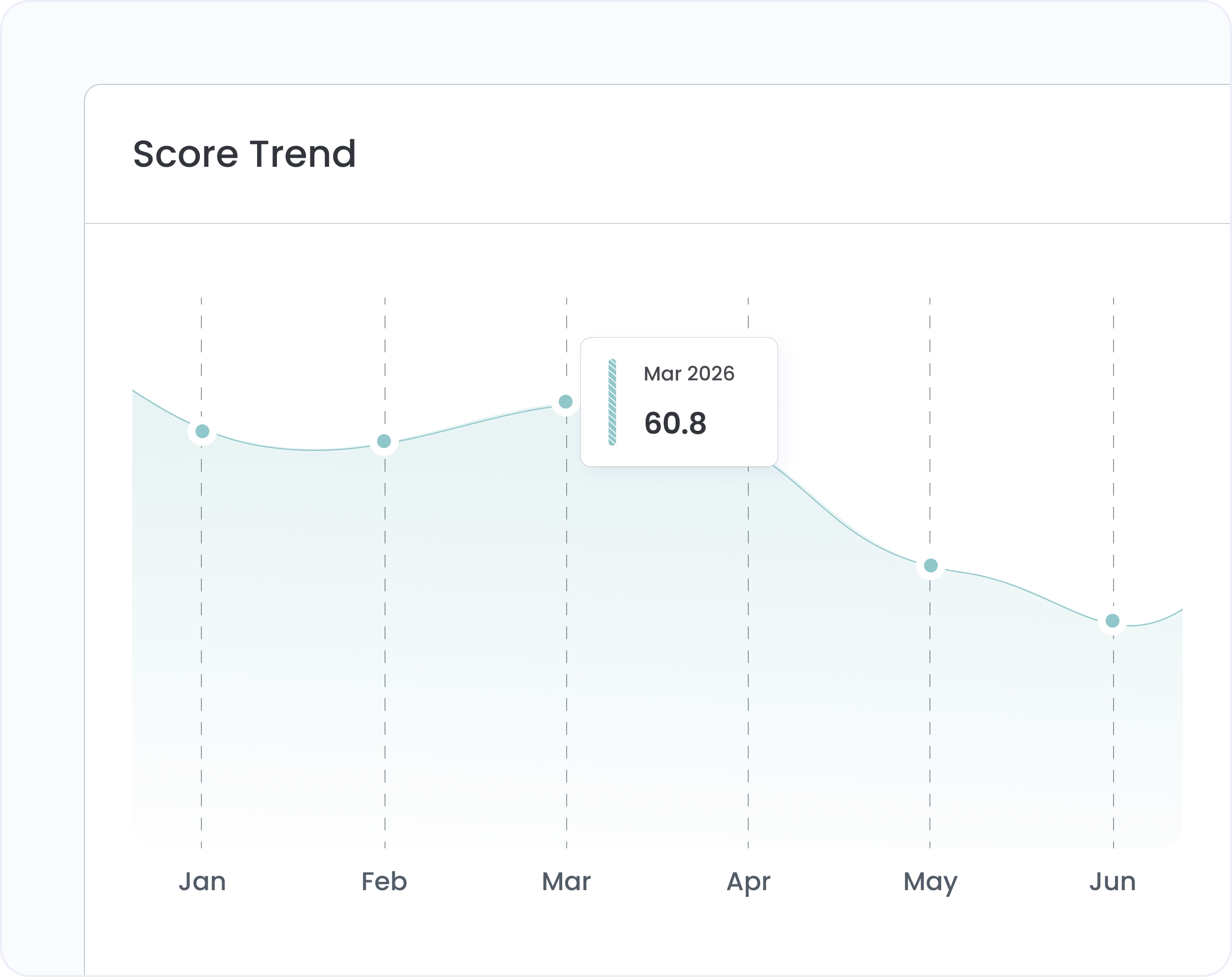
The Score Trend chart plots six months of monthly Hivel Scores as an area chart. A snapshot becomes a trajectory. If a recent AI rollout moved the score, you'll see it. If it's been flat despite rising commits, that's the conversation to have.
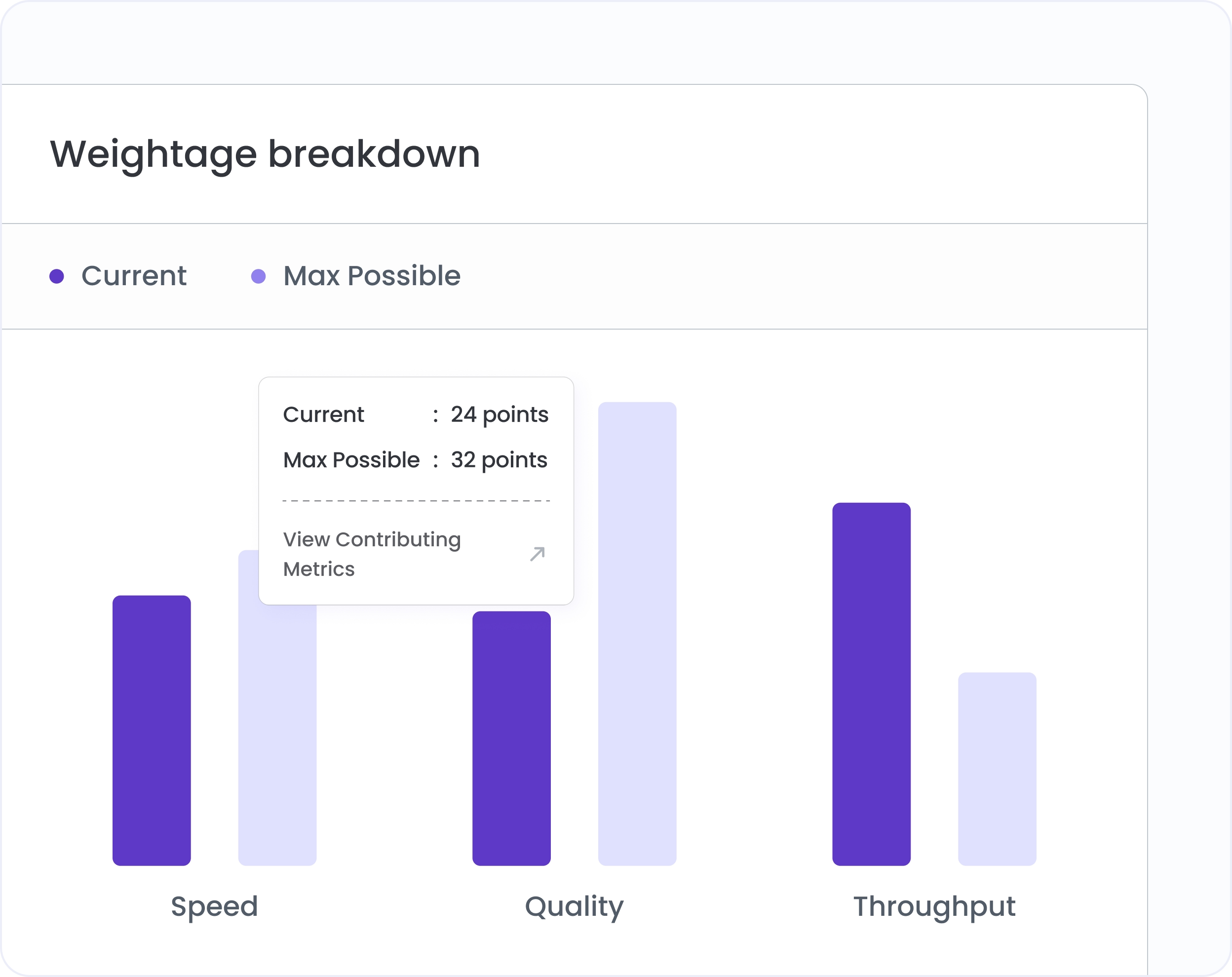
Understand how the Hivel Score is weighted across Speed, Quality, and Throughput. Click any pillar to open the Contributing Metrics modal and see exactly which underlying signals are driving the result. Transparent, not a black box.
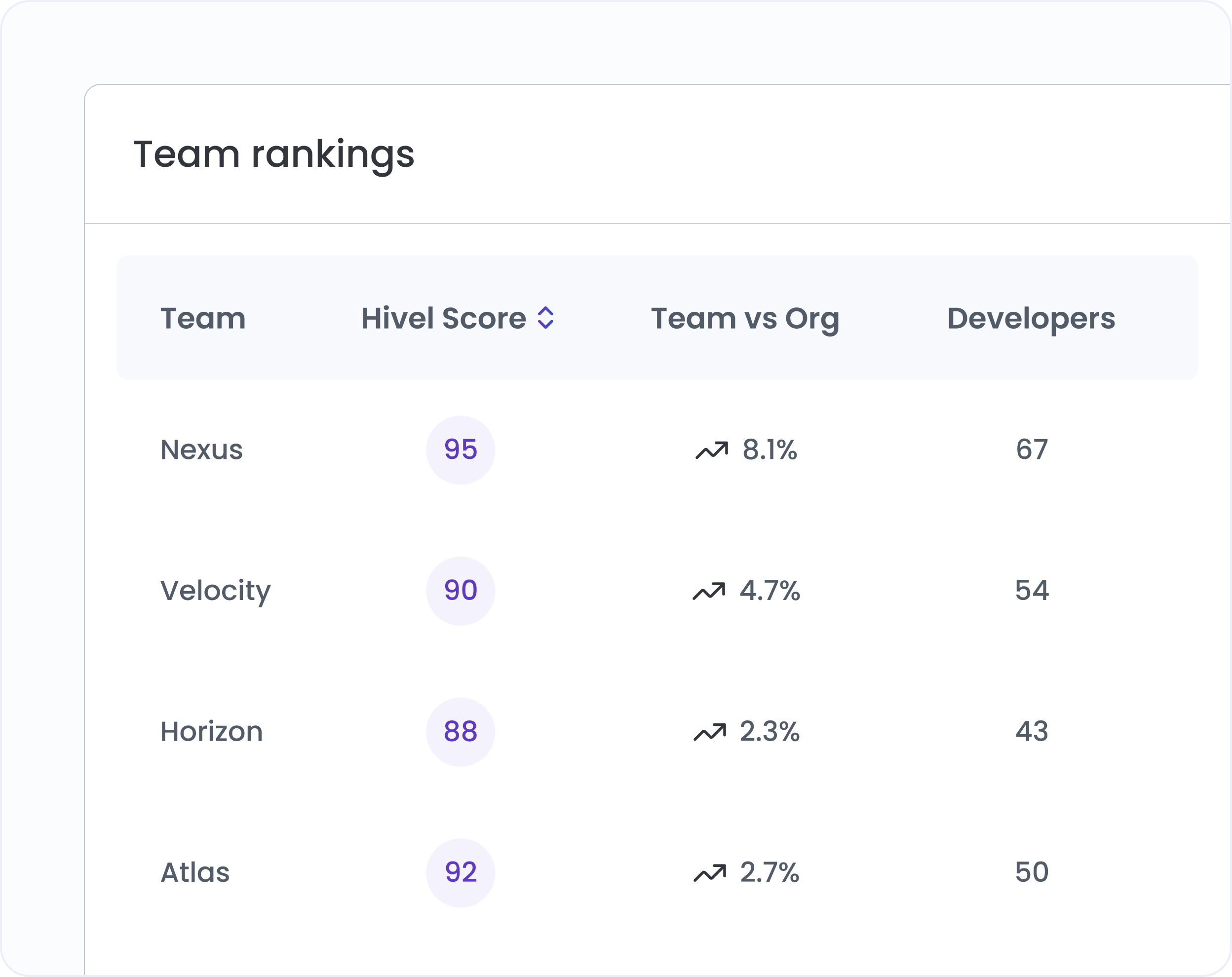
The Team Rankings table shows every team's Hivel Score, change vs prior period, and score relative to the org average in one sortable view. Toggle between Top Scoring and Low Scoring to focus coaching where data says it's needed.
Decide what matters most to your org. Adjust Speed, Quality, and Throughput weights using sliders. The score recalculates in real time.
Switch between org-level and team-level scoring without leaving the screen. Team-scoped users see their team's score calibrated against org norms.
Every month's score calculates against a 6-month rolling baseline from your own org's data, not an industry benchmark. Improvement is relative.
The Team Rankings table splits into Top 5 and Low 5 with one click. See who's above the org average instantly.

Hivel Score combines signals across three buckets: Speed (how fast code moves from start to merge), Quality (how clean and stable that code is), and Throughput (how consistently the team is active and shipping). Each bucket has a configurable weight. The overall score reflects all three combined.
Each month's score is calculated against a 6-month rolling baseline from your own org's data, not an industry benchmark. The score reflects whether your org is improving relative to its own trajectory. The change percentage shows exactly how much the score moved vs the prior 6-month average.
Yes. Admins configure the Speed, Quality, and Throughput weightages using sliders in the Hivel Score configuration view. The three weights must sum to 100%. The score recalculates immediately on save.


.svg)
.png)